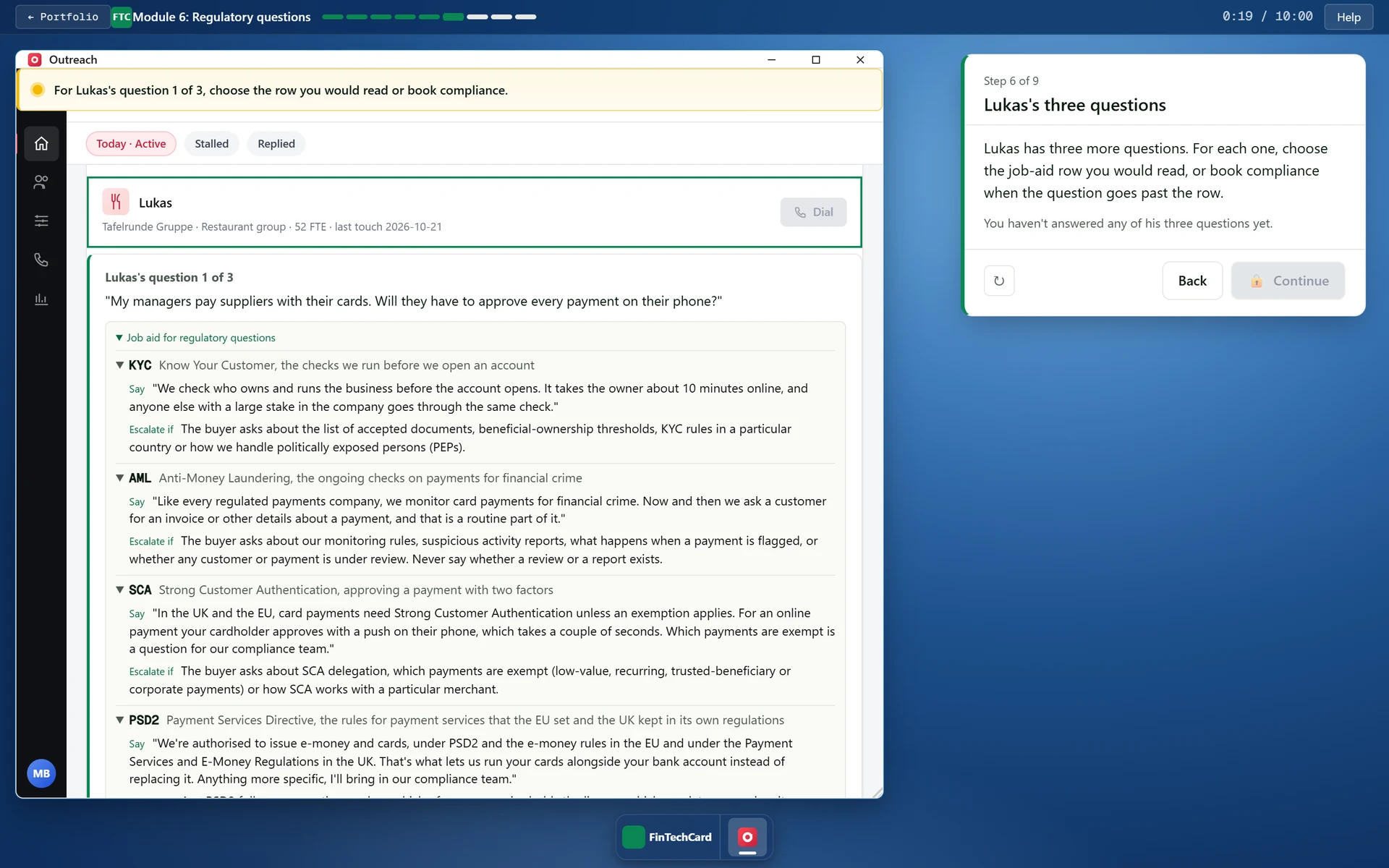
Every task in the course is done inside one of the apps. The panel on the right describes the step but never holds the exercise, and the rep practises on the same screens they will use at work.
In module 3 the Dial buttons in Outreach stay off until Calendar is open in a second window. Each press of a locked Dial button is counted, and the manager's review mentions it even when the meeting gets booked.
In module 1 the phone dialler times the silence after the rep's question, and the buyer only names her problem once five seconds have passed. In module 2 it times the pause after the repeated objection, which has to last three seconds. If the rep breaks the silence too early, Emma never names her problem, and Lukas only says “Everyone says that.”
The manager's message at the end of each module is put together from what the learner did. It says whether each choice was right on the first try. In module 1 it gives the length of the silence, and in module 2 it quotes the buyer's words the rep reused. In module 3 it checks that the invite and the Salesforce next step went out during the call.
Each module moves from watching to doing in three steps. The rep first finds the move in a recorded call in Gong, then picks the right version of it for a second buyer from a few options, and finally makes the whole move alone.
While the rep types a question or a paraphrase, a checklist under the field ticks off what it already does. In module 4 every score on the scale comes with an example, and a lead counts as scored correctly when the decision matches the pod lead's and the total is within two points of his.
All five buyers and the recorded calls live in two shared files. A company, a number or a call means the same thing in every module, and Emma tells the same story in module 1 as she does in module 3.
Each module reports the quiz score to the LMS through SCORM 1.2 and counts as passed at 80%, the mastery score set in its manifest. A quiz has three or four questions, so the rep passes only with every answer right. Progress is saved as a compact event log that stays under the 4,096 characters SCORM 1.2 allows for it.